
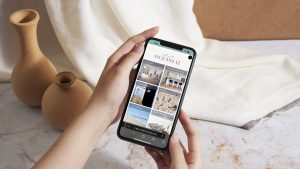

Most hosts delay creating a proper guest guide because they think it takes hours.
It doesn’t.
With the right structure, you can build a clean, professional digital guest guidebook in under 30 minutes. Whether you manage one Airbnb or multiple properties, this is one of the fastest ways to improve guest experience and reduce constant messaging.
Here’s exactly how to do it.
What is how to create a digital guest guidebook?
Creating a digital guest guidebook involves organising essential property details, house rules, and local recommendations into a mobile-friendly format that guests can easily access. It replaces printed manuals with a streamlined, editable system designed to improve communication and enhance the guest experience.
The Problem with Traditional Guest Guidebooks
Printed guest books and scattered documents slow everything down.
Common issues include:
- Outdated information that can’t be quickly updated
- Guests not reading physical folders
- Messy formatting across multiple documents
- Repeated guest questions
- Printed folders become ripped and stained over time
Modern guests expect fast, digital access to information, not paperwork.
Why Hosts Are Moving to Digital Guidebooks
Digital guidebooks solve these problems instantly.
They allow you to:
- Update information in real time
- Share access before arrival
- Keep everything in one clean interface
- Deliver a more premium experience
Platforms like Airbnb have also shifted guest expectations toward seamless, app-based communication.
STEP-BY-STEP: BUILD YOUR GUIDE IN 30 MINUTES
Step 1: Gather Your Core Information (5 Minutes)
Start with the essentials.
You’ll need:
- Check-in and check-out instructions
- WiFi details
- House rules
- Appliance instructions
- Emergency contacts
Don’t overthink it. Focus on what guests actually ask.
Step 2: Structure Your Guidebook (5 Minutes)
Organise your content into simple sections:
- Welcome message
- Check-in details
- Property guide
- House rules
- Local recommendations
- Checkout instructions
A clear structure is what makes your guide easy to use.
Step 3: Add Local Recommendations (5 Minutes)
This is where you elevate the guest experience.
Include:
- Cafes and restaurants
- Attractions and activities
- Beaches, parks, or walks
- Essential services
- Tell them all of your local recommendations!
Use trusted sources like Visit Noosa to ensure your recommendations are accurate and relevant.
Step 4: Make It Mobile-Friendly (5 Minutes)
Most guests will access your guide on their phone.
Your guidebook should:
- Load quickly
- Be easy to navigate
- Use short sections and clear headings
- Include clickable links where possible
If it’s hard to use on mobile, guests won’t use it.
Step 5: Add a Troubleshooting Section (5 Minutes)
This is one of the biggest time-savers.
Include quick fixes for:
- WiFi issues
- Appliance problems
- Power outages
- Common FAQs
Think of this as your first line of guest support.
Step 6: Publish and Share (5 Minutes)
Once your guide is ready:
- Send it before check-in
- Include it in booking messages
- Add a QR code inside the proper
This ensures every guest knows exactly where to find it.
Why are hosts creating digital guest guidebooks?
Hosts are creating digital guest guidebooks to streamline communication, reduce repetitive questions, and provide a better guest experience. Digital formats allow instant updates, mobile access, and a more professional presentation, making them far more effective than traditional printed manuals.
How Connect & Stay Makes This Even Faster
If you want to skip the manual setup entirely, Connect & Stay Digital Compendium simplifies the process.
Instead of building from scratch, you get:
- Pre-built templates designed for hosts
- Structured sections already in place
- Easy editing and updates
- A polished, mobile-ready experience
- Individual property / apartment pages
- Easy Wifi connection
- Booking button to encourage repeat stays
- Google Map connections showing up to date information including reviews
- Map section for easy navigating
- Local support by phone or email
What takes hours manually can be done in minutes with the right system.
Real-World Impact for Hosts
A well-built digital guidebook can:
- Reduce guest questions by up to 70%
- Improve check-in experiences
- Increase positive reviews
- Save hours each week on messaging
- Reduce the number of repeat questions
It’s one of the highest ROI improvements you can make to your property setup.
Start building your digital compendium today or request a demo to see it in action.
Common FAQ’s
With the right structure, it can be created in under 30 minutes.
Use a platform that is mobile-friendly, easy to update, and designed specifically for guest communication. Connect & Stay is an excellent tool, perfect for any host and cost effective.
Yes, and it’s recommended to improve arrival experience and reduce confusion. Make sure you can copy a link to add this to your guest communication email.
Yes, especially when they are easy to access and clearly structured.
Yes, digital versions are easier to update, more accessible, and more effective.